

If you’re building a product, running marketing or supporting clients, you already know the pain: writing in one tool, images in another, research in a third and code snippets somewhere else — with zero consistency and lots of wasted time.
Wordchiefs is built to solve that by putting creation and execution in one place: text, visuals, structured articles, chat support and code generation — inside a single AI workspace.
In this guide, We’ll walk through the core tools and how they fit together in one workflow: AI Writing, AI Image, AI Article Wizard, AI Chat and AI Code powered by the best AI tools.
Why an all-in-one AI workspace beats a stack of separate tools
Most teams don’t struggle because they don’t have tools — they struggle because everything is spread across different websites, logins and interfaces.
An all-in-one workspace helps you:
-
keep your work in one place (no jumping between services)
-
switch between tasks faster (text, images, chat, code) while staying in the same ecosystem
-
reuse the same idea across different outputs without restarting from zero each time
-
simplify the workflow for a team: fewer tools to learn, fewer tabs, fewer distractions
Wordchiefs is built around this: multiple AI tools in one platform — each tool on its own page, but all inside the same workspace.
What Wordchiefs includes and how it’s organized
On the platform, the “workspace” idea isn’t just a slogan — it shows up in the feature set:
-
AI Creator - one of the best AI tools in 2026 for content generation: generate text, images, code and more
-
Intuitive Interface: a clean dashboard for creating and refining content
-
Deep Expertise: domain-style assistants (so answers feel more context-aware)
-
Multilingual: generate and edit content across languages with localized phrasing
-
Resell Model: handle client work and projects inside your account
-
In-Platform Support: in-app chat + knowledge base so you don’t leave the flow
That mix matters because it’s not only about “generating” — it’s about managing output like a real production workflow.
AI Writing Tools - Write faster and rank smarter
The fastest way to feel the value of Wordchiefs is to start with writing — because content production is where most founders and teams burn hours every week.
AI Writing Tools focus on common “real work” outputs: SEO blog posts, product descriptions, summaries, titles and rewrites.
Inside AI Writer, you can generate:
-
Post Title Generator (for blog/social headline ideas)
-
Summarize Text (turn long text into short, clear summaries)
-
Product Description Generator (e-commerce and landing copy)
-
Article Generator (structured drafts you can expand/refine)
-
Product Name Generator
-
AI review generator (templates that sound natural)
Where this helps most
-
Founders: product pages, pitch-deck copy, investor updates, announcements powered by an AI assistant like ChatGPT.
-
Marketers: SEO pages, blog clusters, ad variations, email sequences
-
Teams/Agencies: consistent output across multiple clients and tones
Practical tip for better results: don’t prompt like “Write an article about X.” Instead, give the AI model your structure: audience, goal, tone, sections and 5–10 target phrases using the best AI tools. The output becomes dramatically easier to publish.
AI Image Generator - Create brand-ready visuals
Most businesses don’t need “art.” They need usable visuals: blog images, ads, hero illustrations, product concepts and on-brand graphics that look consistent.
AI Image Generator is built around exactly that workflow: turning descriptions into polished visuals without design experience.
Key tools include:
-
DALL·E 2 for quick concepts and fast generations
-
DALL·E 3 for more detailed, accurate visuals (better prompt understanding)
-
AI Background Remover for cleaning up PNG/JPG/WebP assets in seconds
How teams typically use it
-
Marketers generate multiple ad creatives quickly and test what performs
-
Founders build pitch-deck visuals without hunting stock photos
-
Creators produce thumbnails, illustrations and consistent imagery sets
A simple prompt improvement that consistently works: add purpose + format (example: “hero image for SaaS landing page, clean background, wide composition”) — it pushes the output closer to “marketing-ready” with the help of an AI feature.
AI Article Generator - Build structured long-form content
Sometimes you don’t just need “text.” You need a clean long-form piece that reads like it was planned: logical sections, strong headings and an outline that supports SEO.
That’s what AI Article Generator is for: it guides you through a structured flow from topic → keywords → outline → final draft.
The Wizard approach is useful because it mirrors how good content is actually built:
-
define topic and angle
-
generate SEO-smart headline options
-
create an outline you’d be happy to publish
-
Generate the full article and refine sections inline with the best AI tools in 2026.
When to choose Article Wizard instead of AI Writer
Use AI Writer When you need fast, specific building blocks (summaries, product copy, short drafts), the best AI tools can help.
Use Article Wizard when you need a full publish-ready article with structure and consistent flow.
If your site strategy is “topic clusters,” Article Wizard becomes a production engine: outline-first writing is exactly what scales cleanly.
Conversation with AI - Plan, learn and unblock work
A strong AI workspace isn’t only “create.” It’s also “decide and refine.”
Conversation with AI is designed for quick, reliable help across work and daily tasks: brainstorming, rewriting, research-style summaries and problem-solving.
It also includes switching between different “expert” modes, including:
-
Default AI Chatbot as your reliable AI assistant. (general assistant)
-
Financial Assistant
-
Healthcare AI (wellness/nutrition-style guidance)
This is especially useful for teams because it becomes the glue:
-
Turn rough thoughts into clean messages using an AI agent.
-
stress-test an argument before publishing
-
generate a better brief before writing/designing
-
compare options and make faster decisions
Quick note: for finance/health topics, treat outputs as helpful guidance, ideas and verify anything important before acting.
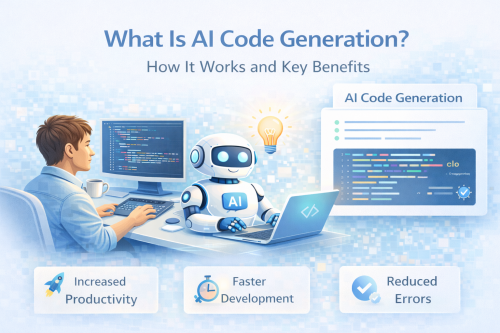
AI to Code - Prototype and ship faster
Modern teams don’t only need content. They need small automations, scripts, helpers, landing sections and prototype code — fast.
AI to Code focuses on generating, writing and debugging code based on plain-language requests.
Core flow:
-
describe what you need (function, script, feature)
-
choose a language (examples listed include Python, JavaScript, PHP, Java, HTML and more)
-
generate + refine (including debugging support)
Where it’s most valuable:
-
founders prototyping MVP features without waiting on a dev sprint
-
marketers building small scripts (UTM builders, text processors, scraping drafts)
-
devs speeding up boilerplate, tests, refactors and documentation
AI code is a productivity boost — but still test before production (security, edge cases, performance).
The “Imagine → Create → Command” workflow in real life
Wordchiefs describes the core flow simply: Imagine it → Create it → Command it using the best AI tools.
Here’s what that looks like in a real go-to-market sprint using an AI model.
-
Imagine it
You define the goal: “Launch page + 2 blog posts + visuals + basic signup form copy.” -
Create it
-
generate the landing page copy with AI Writing Tools
-
generate supporting articles with AI Article Generator
-
produce matching visuals with AI Image Generator
-
ask Conversation with AI to refine tone and consistency across everything
-
create a quick form validation snippet with AI to Code
-
-
Command it
Now you iterate: tighten headlines, regenerate 2–3 visual variants, shorten sections, produce 5 ad angles and ship.
That’s the difference between “a bunch of AI tools” and “an AI workspace with top generative features.”
Multilingual output, consistent tone and scaling without chaos
If you’re publishing in more than one language (or planning to), you already know the real problem isn’t translating, but rather finding the best AI tools for content creation. It’s keeping the message natural, consistent and on-brand.
Wordchiefs highlights multilingual generation and localized phrasing as a core feature — aimed at global teams and multi-market publishing.
A practical approach that works well:
-
generate the “master” version first (brand voice, structure, claims)
-
translate/adapt with clear constraints (local tone, local examples, local keywords)
-
use the chat assistant to check consistency (“Does this sound native?” “Is this too literal?”)
This is how you scale content without turning your site into a messy mix of styles.
Pricing and credits: choose what fits your workload
Wordchiefs uses a credit-based model with multiple tiers (including a free plan), so teams can match spend to output.
From the pricing section on the homepage:
-
Free: €0 / 100 credits (try up to 2 articles, generate 5 visuals)
-
Starter: €10 / 1,000 credits - a free version is available for generating content.
-
Pro: €25 / 2,500 credits
-
Ultimate: €99 / 9,900 credits
If you’re publishing regularly (blog + socials + visuals), you’ll usually feel the difference most on Pro and Ultimate, because mixed workflows (text + images + iterations) consume credits faster than “one-off” tasks.